How to budget using curbside pickup
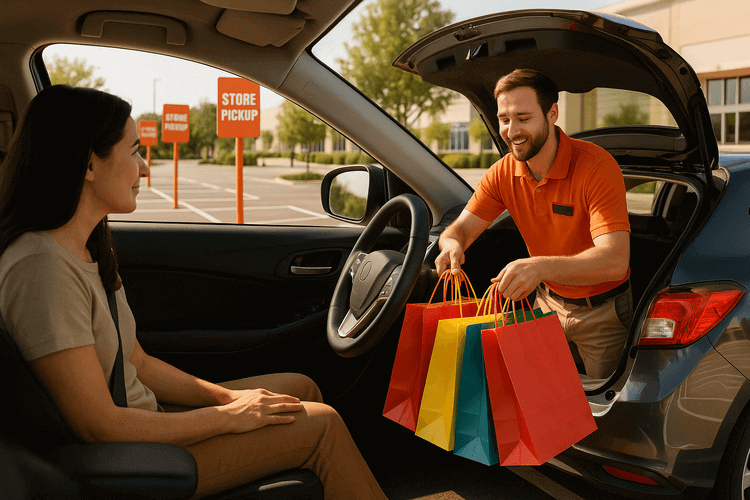
The biggest budget killer? Those "quick" store runs that turn into $50+ spending sprees. Impulse purchases cost the average household over $1,800 annually. That's money that could go toward building an emergency fund or paying down debt. Curbside pickup eliminates this problem entirely and transforms how you manage your spending.
Eliminate Impulse Purchases Through Pre-Planned Shopping Lists
Here's how it works. You create your shopping list at home, away from flashy displays and end-cap promotions. No more grabbing that "discounted" gadget near the checkout. No more adding snacks because they smell amazing.
Create Bulletproof Shopping Lists
Start with specific quantities and brands. Write "2 lbs ground turkey" instead of "meat." This prevents overbuying and keeps you focused.
Set a spending limit before you start shopping online. Most store apps show your running total as you add items. Use this feature religiously.
Pro tip: Review your cart twice before checkout. Ask yourself: "Do I really need this?" You'd be surprised how often the answer is no.
Common Impulse Triggers You'll Avoid
Physical stores are designed to make you spend more. End-cap displays, checkout lane candy, and "limited time" signs all trigger impulse buys. Curbside pickup removes these temptations completely.
One customer saved $200 monthly just by switching to grocery pickup. She realized she was buying unnecessary items every single trip—things she never even put on her list.
Use Digital Tools to Stay on Track
Store apps let you create shopping lists throughout the week. Add items as you run out instead of trying to remember everything on shopping day.
Many apps also suggest alternatives when items are out of stock. This prevents you from making expensive substitutions in the moment.
The key is planning your purchases when you're not hungry, tired, or stressed. Curbside pickup forces this discipline naturally.
Maximize Digital Savings and Store App Benefits
Store apps are your secret weapon for curbside pickup savings. Most major retailers offer exclusive deals that you can't get in-store.
Download apps from your favorite stores before you start shopping. Target's app gives you access to Circle offers that can save 5-50% on specific items. Walmart's app features rollback prices and special member pricing. CVS ExtraCare rewards stack with manufacturer coupons for double savings.
Digital Coupon Stacking Strategies
Many stores let you combine multiple discounts on single items. You can stack manufacturer coupons with store coupons and loyalty program discounts. This technique works especially well for household essentials and personal care items.
Set up price alerts through apps like Honey or Rakuten to track when your regular purchases go on sale. Some stores also send push notifications for flash sales that last just a few hours.
App-Only Deals and Member Pricing
Retailers reward digital customers with exclusive pricing. Costco members get additional discounts through their app for curbside orders. Best Buy offers special pricing for My Best Buy members on tech items.
Key benefits of store apps for curbside pickup:
- Exclusive digital coupons not available in-store
- Member-only pricing and early access to sales
- Automatic application of available discounts at checkout
- Price comparison tools within the app
- Loyalty points that convert to future savings
Cross-Store Price Comparison
Before placing any curbside order, check prices across multiple retailer apps. Generic medications cost up to 80% less at warehouse clubs compared to traditional pharmacies for the same items. Grocery staples like milk and bread vary significantly between stores.
Use apps like Flipp or Basket to compare prices without switching between multiple store apps. This saves time and ensures you're getting the best deal available. For larger purchases, even small percentage differences add up to significant savings over time.
The beauty of curbside pickup is that you can easily cancel or modify orders if you find better prices elsewhere. Unlike in-store shopping, you're not committed until you actually pick up your items.
Strategic Meal Planning and Grocery Pickup Coordination
Planning your meals before you order groceries stops you from buying random stuff you don't need.
Most people walk into stores without a plan. They grab whatever looks good. That's how you end up with three types of pasta and no sauce. Curbside pickup forces you to think ahead. You can't just toss items in your cart on a whim.
Start by planning five to seven meals for the week. Write down every ingredient you need. Check what you already have at home first. This prevents buying duplicate items that waste money and space.
Create Your Weekly Meal Planning System
Here's how to make meal planning work with grocery pickup:
- Pick one day each week to plan meals
- Check store apps for sales before planning
- Choose recipes that use similar ingredients
- Plan for leftovers to stretch your budget
- Set a specific pickup time that works for your schedule
For example, if chicken thighs are on sale, plan three meals using them. Maybe chicken tacos Monday, chicken stir-fry Wednesday, and chicken soup Friday.
Stick to Planned Portions and Ingredients
Grocery pickup helps you buy exactly what you need. No more grabbing the family-size bag when you only need two servings.
Most store apps let you specify quantities precisely. You can order two bell peppers instead of a whole bag. This reduces food waste and keeps your grocery bill under control.
Digital carts also show running totals. You'll see your spending add up in real time. This makes it easier to swap expensive items for cheaper alternatives before checkout.
Time Your Pickups for Maximum Freshness
Schedule grocery pickups close to when you'll cook the meals. Don't pick up fresh fish on Monday if you're not cooking it until Friday.
Most stores let you schedule pickups up to a week in advance. Use this to your advantage. Order non-perishables early in the week. Save fresh items for pickup the day before you need them.
If you're planning a big Sunday meal prep session, schedule your pickup for Saturday evening or Sunday morning. Your ingredients will be at peak freshness.
Smart Bulk Buying Through Digital Carts
Curbside pickup makes bulk buying smarter. You can easily compare unit prices in store apps. Many show price per ounce or pound right on the screen.
Buy bulk for items you actually use regularly. Rice, pasta, and frozen vegetables are good bulk purchases. Avoid bulk buying fresh produce unless you have specific meal plans for everything.
Store your bulk items properly to avoid waste. Having a plan for storage is just as important as having a plan for cooking.
Reduce Transportation Costs Through Efficient Pickup Scheduling
Smart pickup scheduling can slash your monthly gas budget by 15-30% while saving you hours each week.
Combine Multiple Store Pickups in Single Trips
Plan your pickup orders to hit multiple stores in one outing. Most shopping centers house several retailers with curbside services—Target, CVS, and grocery stores often share the same parking lot. Order from 2-3 stores and schedule pickups within the same hour window.
This strategy works especially well for weekly essentials. Grab groceries, pharmacy items, and household goods without making separate trips throughout the week.
Choose Strategic Pickup Locations
Pick stores along your regular commute or near other errands. Don't drive across town for a $20 grocery order when there's a location 5 minutes from your workplace.
Many retailers offer multiple pickup locations. Walmart and Target let you choose different stores for each order. Always select the most convenient spot for your schedule.
Schedule During Off-Peak Hours
Best pickup times for faster service:
- Mid-morning (10 AM - 11 AM)
- Early afternoon (1 PM - 3 PM)
- Weekday evenings after 7 PM
Avoid lunch hours and weekend afternoons. Faster pickup means less idling time and lower gas consumption. Plus, you'll spend less time waiting and more time earning or enjoying life.
Use Pickup for Heavy Items
Skip delivery fees by using curbside pickup for bulk purchases. Cat litter, cases of water, and cleaning supplies cost $3-10 extra for delivery. Let store employees load heavy items while you stay in your car.
This works great for monthly stock-ups on non-perishables. One pickup trip beats multiple store visits carrying heavy bags.
Calculate Your Real Savings
Track your gas expenses before and after switching to strategic pickup scheduling. The average household saves $20-40 monthly on fuel costs alone. That's $240-480 annually—enough to boost your emergency fund or pay down debt faster.
Factor in time savings too. Less driving means more time for side hustles or family activities.
Track Your Progress with Budget-Friendly Apps
To maximize your curbside pickup savings, consider using a budget tracking app like Monefy. This simple expense tracker lets you categorize your pickup purchases and compare your spending before and after implementing these strategies. You can easily see how much you're saving on impulse purchases and transportation costs month over month.
Implementation Strategy
You've got the tools. Now it's time to use them.
Curbside pickup budgeting delivers real results. You'll cut impulse spending by avoiding store temptations. You'll access digital-only deals that in-store shoppers miss. Your meal planning becomes laser-focused when you order ahead. Plus, you'll save gas money by combining pickup trips.
Start Small, Think Big
Pick one store you visit weekly. Download their app this week. Place your first curbside order for essentials only.
Track your spending for the first month. Most people see immediate savings of $15-40 per grocery trip. That's $780+ annually without changing what you buy—just how you buy it.
Quick Implementation Checklist
- Week 1: Download your main grocery store's app
- Week 2: Add a pharmacy or big box retailer for pickup
- Week 3: Plan pickup routes to combine errands
- Week 4: Review your spending vs. previous months
Level Up Your Savings Game
Ready to supercharge your budget? Check out our guide on how to cut your grocery bill in half for advanced money-saving strategies.
If you're dealing with debt while trying to budget, consider exploring personal loan options to consolidate high-interest payments.
The Bottom Line
Curbside pickup isn't just convenient—it's a budget hack disguised as a shopping method. Your wallet will thank you. Your time will thank you. And your financial goals just got a lot more achievable.
Start your first curbside order today. Your future self will wonder why you waited so long.
Questions? Answers.
Common questions about curbside pickup budgeting
Most households save $15-40 per grocery trip by avoiding impulse purchases, plus $20-40 monthly on gas costs. This adds up to $600-$1,200+ annually. The exact savings depend on your current shopping habits and how frequently you make impulse purchases in stores.
Most major retailers offer free curbside pickup with a minimum order amount, typically $35-50. Some stores like Target and Walmart offer completely free pickup regardless of order size. Always check the store's policy before placing your order to avoid unexpected fees.
Most store apps let you specify substitution preferences or choose "no substitutions." If an item is unavailable, you'll typically be notified and can approve or reject substitutions. You're only charged for items you actually receive, and you can refuse unwanted substitutions at pickup.
For best availability, place orders 1-2 days ahead. Same-day pickup is often available but may have limited time slots. For fresh items like produce and meat, avoid ordering more than 2-3 days in advance to ensure maximum freshness at pickup.
Apps like Monefy, Mint, and YNAB help track your curbside pickup spending and compare it to your previous in-store habits. Monefy is particularly useful for its simple expense categorization, allowing you to easily separate grocery pickup costs from other expenses and monitor your savings progress month over month.